Free CAD Blocks for Your projects

Thousand of Cad block in DWG format for architecture, engineering, and design. Download for free and save time on your projects.
36ea94b6 5ed0 4b13 bcae 71234cc4d13a
+5,000 CAD BLOCKS
FREE DOWNLOADS
ORGANIZED CATEGORIES
SAFE & VERIFIED FILES
🌄

Site & Landscape

Free AutoCAD CAD blocks for landscaping, site plans, terrain, outdoor elements, paving, roads, and more in DWG format.

🚗

Transportation

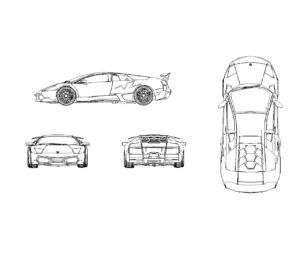
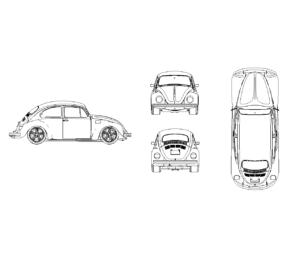
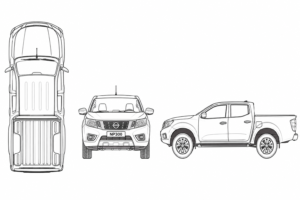
Free AutoCAD CAD blocks for cars, trucks, buses, motorcycles, bicycles, airplanes, trains, boats, and more in DWG format.

👥

People

Free AutoCAD CAD blocks of people, including standing, walking, sitting, children, families, workers, athletes, silhouettes, and more in DWG format.

🛋️

Interior

Free AutoCAD CAD blocks for interior design, including living rooms, bedrooms, offices, decorations, fixtures, accessories, and more in DWG format.

🏛️

Architectural

Free AutoCAD CAD blocks for architectural design, including floor plans, elevations, sections, construction details, layouts, and more in DWG format.

🏢

Building

Free AutoCAD CAD blocks for buildings, including residential, commercial, industrial, offices, apartments, facades, structures, and more in DWG format.

🏙️

Urban

Free AutoCAD CAD blocks for urban design, including streets, sidewalks, parks, public spaces, traffic elements, street furniture, city planning, and more in DWG format.

🌿

Outdoor

Free AutoCAD CAD blocks for outdoor spaces, including gardens, patios, terraces, playgrounds, outdoor furniture, landscape features, and more in DWG format.

📐

Drafting

Free AutoCAD CAD blocks for drafting, including drawing templates, title blocks, dimensions, annotations, symbols, scales, technical details, and more in DWG format.

How It Works

Download free CAD blocks in just 4 simple steps.

👤

1. Create a Free Account

Register for a free DWG Vault account to unlock downloads and access our growing CAD library.

🔎

2. Find Your CAD Block

Search by keyword or browse categories to quickly find the DWG file you need.

⬇️

3. Preview & Download

Open the block page and click the download button. You'll be redirected to Google Drive.

📐

4. Use in Your Project

Download the DWG file from Google Drive and use it in AutoCAD or your favorite CAD software.